
Long queues, misheard orders, rising staff costs, and tight hiring make serving customers quickly harder than before. That hurts revenue, frustrates regulars, and makes expansion harder for single outlets and multi-location groups alike.
For healthcare food services, retail boutiques, supermarkets, and institutional catering, the pressure is the same: deliver accurate orders fast while keeping costs under control.
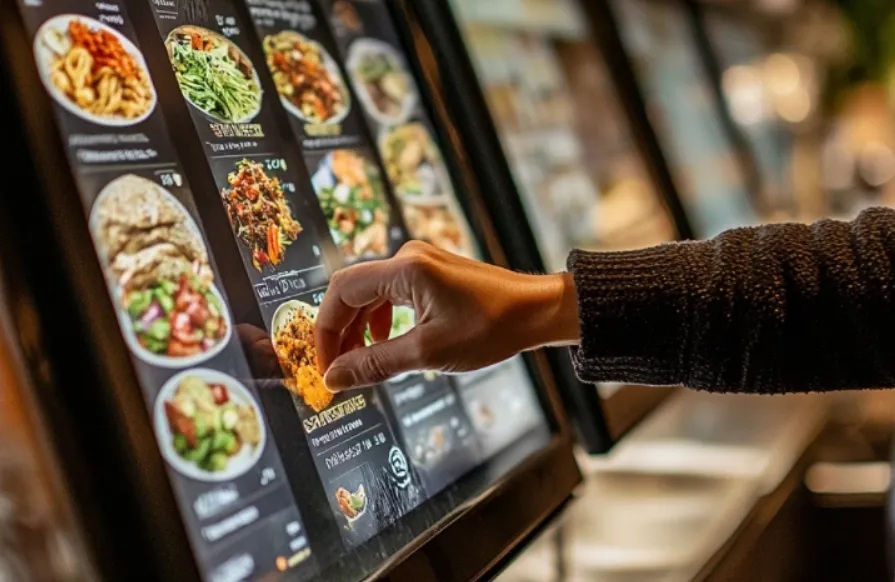
Self-order kiosks reduce queue times, lower order errors, and let your team focus on food and service rather than taking payments and repeating orders. You can explore an example solution like Hashmato’s singapore kiosk, which bundles ordering, menu updates, and payment into a single station to reduce friction for staff and customers.
In this blog, we’ll explore why kiosks are gaining popularity in Singapore’s restaurants and retail, the tangible benefits they offer, key features to consider, practical advice for rollout, and how to measure success to determine if kiosks are a good fit for your business.
Why Kiosks Are Gaining Ground Now
Several market forces are driving faster kiosk adoption:
- The self-service kiosk market is growing worldwide, driven by retailers and restaurants investing in automation to cut operational costs and improve convenience.
- Singapore’s hospitality and food sector has faced staffing gaps and business churn in recent years, which makes automation more appealing as a way to keep service steady.
- Consumers expect fast, contactless payment and clear digital menus; high contactless payment use in Singapore supports kiosk transactions.
For you, these trends mean kiosks are not just a novelty. They are a practical tool for reducing running costs, improving accuracy, and serving more customers during peak hours.
Direct Benefits For Your Business
Kiosks produce clear, measurable improvements in day-to-day operations:
- Reduced Wait Times: Customers order and pay at the kiosk, cutting counter queues.
- Fewer Order Errors: Digital menu choices flow directly to the kitchen display or POS, reducing manual transfer mistakes.
- Higher Average Order Value: Built-in prompts and upsell suggestions lift check size without extra staff effort.
- Consistent Menu Presentation: Specials, allergens, combo updates, and sold-out items are updated centrally and displayed live at every unit.
- Staff Redeployment: Your team can focus on service, quality control, and preparation instead of taking orders.
These outcomes matter across types of operations: single cafes, full-service restaurants, hospital food outlets, supermarket hot counters, and university dining halls.
Features That Matter When Choosing A Kiosk
When evaluating kiosks, look for these features and how they fit your workflows:
- Integration With POS and Kitchen Systems: orders must flow automatically to production without rekeying.
- Payment Options: support cards, NFC/contactless wallets, and mobile QR payments.
- Menu Management: quick updates for price changes, limited-time offers, and stock.
- Upsell and Recommendation Engine: increase check sizes with smart prompts.
- Accessibility and Language Options: clear fonts, touch targets, and multilingual menus for a diverse customer base.
- Remote Monitoring and Reporting: see live uptime, sales by kiosk, and error alerts from a central dashboard.
- Multi-Outlet Support: scale settings and menus across locations from one account.
These features reduce manual work and let you control customer experience centrally across all units.
Practical Rollout Checklist (Step-By-Step)
Start small and expand using this sequence:
- Pilot in One Busy Outlet: Test layout, menu flow, and staff roles during rush hours.
- Confirm POS/Kitchen Integration: ensure orders trigger the same kitchen workflows as counter sales.
- Train Staff on handling exceptions, including custom requests, refunds, and device troubleshooting.
- Collect Customer Feedback: watch task completion times, error reports, and ask simple exit questions.
- Adjust Menu Flows and Upsells: refine prompts that customers accept and remove poor performers.
- Roll Out In Phases: add kiosks to other high-traffic outlets once the pilot metrics meet targets.
This phased approach lowers risk, keeps service steady, and gives the team time to adopt new routines.
Common Concerns: Real Answers
- Will customers use them? Many diners prefer quick self-order at busy times, and studies show substantial customer interest in kiosks at restaurants.
- Do kiosks cost too much? Upfront hardware and integration are real costs, but payback often comes from higher throughput, reduced labour hours on order-taking, and higher average orders within months.
- What about accessibility? Design kiosks with clear language options, assist modes, and a staff-assisted lane for customers who need help.
- Is maintenance hard? Choose vendors with remote monitoring, managed support, and straightforward onsite service plans.
Measuring Success: KPIs To Track
Track a small set of indicators to know if kiosks are working for you:
- Percentage of transactions processed via kiosks (adoption rate)
- Average order value through kiosk vs counter
- Order accuracy complaints per 1,000 orders
- Queue length and average service time during peak hours
- Labor hours saved on order-taking and cashiering
- Incremental sales from upsell prompts
These metrics indicate whether kiosks are improving speed, accuracy, and revenue, or if adjustments are needed to menu flows, prompts, or placement.
Use Cases By Business Type
- Single Outlets to Franchise Chains: Scale menus and promotions across sites, maintain consistent branding, and roll out updates remotely.
- Hospitals and Healthcare Food Services: control allergens, restrict options for special diets, and speed meal delivery without more staff.
- Retail Boutiques to Supermarkets: use kiosks for click-and-collect, loyalty enrollment, and quick checkout in deli or hot food sections.
- Schools, Universities and Institutional Catering: manage meal plans, pre-paid accounts and rush-hour troughs with predictable flows.
Kiosks are well-suited for operations with predictable workflows and repeatable menu items, and they scale effectively for complex multi-brand environments when integration is solid.
Final Considerations Before You Buy
- Confirm integration with your existing POS and kitchen display software.
- Plan for a pilot that includes staff training and measurable targets.
- Budget for ongoing software subscriptions, payment gateway fees, and occasional hardware service.
- Choose a vendor who offers remote support, reporting, and multi-outlet management capabilities.
Conclusion
Kiosks are now a proven way to improve speed, reduce errors, and let staff concentrate on front-line service and food quality. For restaurants, retail counters, hospitals, supermarkets, and educational catering, smart deployment of kiosks can lift average order value, help manage labour tightness, and give customers the clear, contactless checkout they expect. If you want to see a practical example of a self-ordering station that integrates ordering, menu management, and payments, check out Hashmato’s singapore kiosk.